Every enterprise data team eventually confronts the same strategic question: where should our legacy analytics and ETL workloads go? The answer, increasingly across industries — financial services, healthcare, retail, manufacturing, telecommunications, government — points to Google BigQuery. Organizations running SAS, Informatica PowerCenter, IBM DataStage, SSIS, Alteryx, Teradata, Oracle ODI, and Talend are migrating to BigQuery not because of a single feature, but because of a convergence of architectural advantages that no legacy platform can match: serverless compute that eliminates infrastructure management, separation of storage and compute that decouples cost from scale, in-database machine learning that replaces entire ML platform stacks, and unified governance that consolidates fragmented catalog and lineage tooling.
This article is not a source-to-target migration guide. It is a technical examination of why BigQuery has become the dominant migration target for enterprise legacy modernization — covering the architectural decisions, cost structures, governance capabilities, and AI/ML integration that drive the decision. Whether you are a data engineering leader evaluating cloud targets, an architect designing a migration roadmap, or a CTO building a business case, this guide provides the technical depth needed for an informed decision.
Serverless Architecture: The End of Cluster Management
The single most impactful architectural difference between BigQuery and legacy platforms is that BigQuery is fully serverless. There are no clusters to provision, no nodes to scale, no servers to patch, no indexes to rebuild, no storage to expand, and no high-availability configuration to maintain. Compute is allocated per-query through slots — units of CPU and memory managed by Google's Borg cluster management system — and released immediately after query completion.
To understand what this eliminates, consider the infrastructure required by a typical legacy data platform:
- SAS Grid requires SAS Grid Manager, SAS Object Spawner, shared storage (Lustre or GPFS), and multiple compute nodes with SAS Foundation installed on each. Scaling requires adding physical or virtual nodes with SAS licenses.
- Informatica PowerCenter requires an Informatica Domain with node managers, integration services, repository services, and a repository database (typically Oracle or SQL Server). Each additional integration service requires a licensed node.
- IBM DataStage requires Information Server with an engine tier, services tier, and repository tier. Parallel processing requires configuring conductor and player nodes with resource allocation files.
- Teradata requires either proprietary MPP hardware (IntelliFlex, IntelliBlade) or Teradata Vantage cloud instances with explicit node sizing and interconnect configuration.
- Oracle ODI requires ODI Agents (standalone Java processes or WebLogic-managed), Master Repository database, and Work Repository database. Each execution environment requires a dedicated agent.
BigQuery replaces all of this with a single API endpoint. You submit a SQL query; BigQuery allocates the necessary compute slots, executes the query across its distributed Dremel engine, returns results, and releases the slots. There is no provisioning step, no scaling step, and no teardown step. A query scanning 10 TB runs on the exact same infrastructure as a query scanning 10 MB — the system automatically allocates more slots for larger workloads.
-- This query scans a 5 TB partitioned table
-- BigQuery automatically allocates slots, executes, returns results
-- No cluster sizing, no resource queue configuration, no tuning
SELECT
    region,
    product_category,
    DATE_TRUNC(order_date, MONTH) AS order_month,
    COUNT(DISTINCT customer_id) AS unique_customers,
    COUNT(order_id) AS total_orders,
    SUM(revenue) AS total_revenue,
    AVG(revenue) AS avg_order_revenue,
    APPROX_QUANTILES(revenue, 100)[OFFSET(50)] AS median_revenue
FROM `analytics.sales_fact`
WHERE order_date BETWEEN '2025-01-01' AND '2026-03-31'
GROUP BY region, product_category, order_month
ORDER BY total_revenue DESC;
In a legacy environment, running a query like this requires capacity planning: is there enough memory on the SAS Grid? Are there available Integration Service processes in Informatica? Is the Teradata AMPs queue saturated? In BigQuery, you simply run the query. The serverless architecture handles resource allocation transparently, and the query completes without competing for fixed-size infrastructure resources.

BigQuery — enterprise migration powered by MigryX
Separation of Storage and Compute
BigQuery physically separates storage from compute. Data is stored in Google's Colossus distributed file system in a columnar format called Capacitor. Compute is provided by the Dremel query engine, which reads data from Colossus through Google's Jupiter high-bandwidth network fabric. This separation has profound implications for cost and performance.
Storage is Cheap and Independent
BigQuery storage costs are a fraction of legacy database storage. Active storage is priced per GB per month with automatic compression (typically 10:1 for columnar data). Long-term storage (data not modified for 90 days) is automatically discounted. Storage costs are completely independent of compute — you can store 100 PB of data and pay only for storage until you query it.
In legacy environments, storage and compute are tightly coupled. Adding storage to a Teradata node means buying an entire node with CPU, memory, and interconnect. SAS datasets must reside on storage accessible to SAS compute nodes. Oracle databases require provisioned tablespace on dedicated storage systems. This coupling means organizations pay for compute capacity just to store data, and pay for storage capacity just to run queries.
Compute Scales Independently
Because compute is decoupled from storage, BigQuery can scale compute resources without touching data. On-demand mode allocates up to 2,000 slots automatically. Flat-rate editions allow organizations to set baseline and maximum slot counts with autoscaling. Multiple teams can share the same data while using separate compute reservations, eliminating resource contention without data duplication.
MigryX: Idiomatic Code, Not Line-by-Line Translation
The difference between MigryX and manual migration is not just speed — it is code quality. MigryX generates idiomatic, platform-optimized code that leverages native features of your target platform. A SAS DATA step does not become a clunky row-by-row loop — it becomes a clean, vectorized DataFrame operation. A PROC SQL query does not become a literal translation — it becomes an optimized query that takes advantage of your platform’s pushdown capabilities.
Pricing Models: On-Demand vs. Flat-Rate Editions
BigQuery offers two pricing models that address fundamentally different use cases. Understanding both is essential for building an accurate TCO comparison against legacy platforms.
On-Demand Pricing
Pay per TB of data scanned by queries. No upfront commitment. Queries that hit cached results, read from materialized views, or access only metadata cost nothing. This model is ideal for development environments, ad-hoc analysis, and workloads with variable query patterns. The per-TB rate makes cost directly proportional to usage, with no idle-resource waste.
Flat-Rate (Editions) Pricing
Purchase slot commitments with autoscale editions (Standard, Enterprise, Enterprise Plus). Set a baseline slot count and a maximum slot count. Costs are fixed within the baseline, with autoscale charges only when demand exceeds baseline. Unused baseline slots can be shared across projects and teams through reservations and assignments. This model is ideal for production workloads, predictable batch schedules, and organizations that need cost caps.
Cost Comparison: Legacy ETL + Data Warehouse vs. BigQuery-Native
| Cost Category | Legacy Architecture | BigQuery-Native Architecture |
|---|---|---|
| ETL Software Licensing | $200K-$2M/year (SAS, Informatica, DataStage per-core/per-IPU) | $0 (transformations are SQL queries in BigQuery) |
| Data Warehouse Licensing | $300K-$5M/year (Teradata, Oracle, Exadata) | Included in BigQuery pricing (on-demand or flat-rate) |
| Server Infrastructure | $100K-$500K/year (physical or VM hosting, power, networking) | $0 (serverless — no servers to provision) |
| Storage Management | $50K-$200K/year (SAN/NAS, backup, DR replication) | $0.02/GB/month active, $0.01/GB/month long-term (auto-managed) |
| Database Administration | 2-5 FTE DBAs ($150K-$200K each) | 0 FTE (no database to administer) |
| ETL Administration | 1-3 FTE ETL admins ($130K-$180K each) | 0 FTE (no ETL server to administer) |
| Job Scheduler Licensing | $30K-$150K/year (Autosys, Control-M) | Cloud Composer (managed Airflow) or BigQuery scheduled queries |
| OLAP / Cube Server | $50K-$200K/year (Essbase, SSAS, Cognos TM1) | $0 (BI Engine provides sub-second acceleration) |
| ML Platform | $100K-$500K/year (SAS Enterprise Miner, separate Python infra) | $0 additional (BigQuery ML included) |
| Data Catalog / Governance | $50K-$300K/year (Collibra, Alation, custom tools) | Dataplex (included in GCP) |
| Disaster Recovery | $100K-$300K/year (standby servers, replication, testing) | Built-in (automatic multi-zone replication, 99.99% SLA) |
| Estimated Annual Total | $1.2M-$9.3M | $100K-$800K (depending on data volume and query patterns) |
The cost comparison above represents a mid-to-large enterprise with 10-50 TB of active warehouse data and 50-200 ETL jobs running daily. Actual savings vary by organization, but the structural advantage is clear: BigQuery eliminates entire cost categories (ETL licensing, DBA staff, OLAP servers, disaster recovery infrastructure) that legacy architectures require regardless of data volume.
Dataform: SQL-Based Transformation Pipelines
Dataform, acquired by Google and integrated natively into the BigQuery console, provides a SQL-first transformation framework that replaces the visual mapping designers, proprietary scripting languages, and manual deployment processes of legacy ETL tools. Dataform models are SQLX files — SQL SELECT statements with configuration metadata — stored in Git repositories with full version control, branching, code review, and environment promotion.
Why Dataform Replaces Legacy ETL Designers
- SQL is the universal data language. Every data engineer knows SQL. Finding engineers fluent in SAS Macro, DataStage BASIC, ODI Knowledge Module Jython, or Informatica Expression Language is increasingly difficult and expensive.
- Git-based version control replaces proprietary deployment mechanisms (ODI Scenarios, PowerCenter deployment groups, DataStage export/import). Code review, branching, and merge workflows use standard Git tooling.
- Dependency management through the
ref()function automatically builds a DAG of transformation dependencies. Dataform compiles models in the correct order, detects circular dependencies, and enables incremental builds. - Incremental materialization automatically generates MERGE logic for upsert patterns, eliminating the manual staging-table patterns required by ODI IKMs and Informatica Update Strategy transformations.
- Built-in assertions replace ETL data quality transformations (ODI CKM, Informatica Data Quality, DataStage Standardize stage) with declarative SQL checks.
-- Dataform SQLX model with all key features
-- File: models/gold/customer_lifetime_value.sqlx

config {
    type: "incremental",
    schema: "gold",
    uniqueKey: ["customer_id"],
    description: "Customer lifetime value with purchase history aggregation",
    bigquery: {
        partitionBy: "DATE(last_order_date)",
        clusterBy: ["segment", "region"]
    },
    assertions: {
        uniqueKey: ["customer_id"],
        nonNull: ["customer_id", "lifetime_value"],
        rowConditions: [
            "lifetime_value >= 0",
            "total_orders >= 0",
            "days_since_first_order >= 0"
        ]
    },
    tags: ["gold", "customer", "daily"]
}

SELECT
    c.customer_id,
    c.customer_name,
    c.email,
    c.segment,
    c.region,
    COUNT(DISTINCT o.order_id) AS total_orders,
    SUM(o.revenue) AS lifetime_value,
    AVG(o.revenue) AS avg_order_value,
    MIN(o.order_date) AS first_order_date,
    MAX(o.order_date) AS last_order_date,
    DATE_DIFF(CURRENT_DATE(), MIN(o.order_date), DAY) AS days_since_first_order,
    DATE_DIFF(CURRENT_DATE(), MAX(o.order_date), DAY) AS days_since_last_order,
    CASE
        WHEN DATE_DIFF(CURRENT_DATE(), MAX(o.order_date), DAY) <= 90 THEN 'Active'
        WHEN DATE_DIFF(CURRENT_DATE(), MAX(o.order_date), DAY) <= 365 THEN 'At Risk'
        ELSE 'Churned'
    END AS lifecycle_status,
    CURRENT_TIMESTAMP() AS calculated_at
FROM ${ref("silver", "customers")} c
LEFT JOIN ${ref("silver", "orders")} o
    ON c.customer_id = o.customer_id
    AND o.status = 'COMPLETED'
GROUP BY c.customer_id, c.customer_name, c.email, c.segment, c.region

${ when(incremental(),
    `HAVING MAX(o.order_date) > (
        SELECT COALESCE(MAX(last_order_date), DATE '1900-01-01')
        FROM ${self()}
    )`)
}
BigQuery ML: Machine Learning Without Leaving SQL
BigQuery ML is one of the most compelling reasons enterprises choose BigQuery over competing platforms. It allows data engineers and analysts to create, train, evaluate, and deploy machine learning models using standard SQL — without exporting data to external ML platforms, managing Python environments, provisioning GPU instances, or building model serving infrastructure.
In legacy environments, adding ML to a data pipeline requires a separate technology stack: SAS Enterprise Miner (expensive, proprietary), or a custom Python/R infrastructure bolted onto Informatica or DataStage pipelines. Data must be extracted from the warehouse, transferred to the ML environment, processed, and results written back. This creates data movement overhead, latency, and governance gaps.
BigQuery ML eliminates this entire stack. The data stays in BigQuery. The model trains in BigQuery. Predictions run in BigQuery. Everything is SQL.
-- Train a customer churn prediction model using BigQuery ML
-- No data export, no separate ML platform, no model deployment
CREATE OR REPLACE MODEL `ml.customer_churn_predictor`
OPTIONS (
    model_type = 'LOGISTIC_REG',
    input_label_cols = ['churned'],
    auto_class_weights = TRUE,
    data_split_method = 'AUTO_SPLIT',
    max_iterations = 20
) AS
SELECT
    total_orders,
    lifetime_value,
    avg_order_value,
    days_since_last_order,
    days_since_first_order,
    support_ticket_count,
    product_returns_count,
    email_engagement_score,
    segment,
    region,
    churned
FROM `gold.customer_features`
WHERE lifetime_value > 0;

-- Evaluate model performance
SELECT *
FROM ML.EVALUATE(MODEL `ml.customer_churn_predictor`);

-- Score current customers to predict churn risk
SELECT
    customer_id,
    customer_name,
    segment,
    predicted_churned,
    predicted_churned_probs[OFFSET(1)].prob AS churn_probability
FROM ML.PREDICT(
    MODEL `ml.customer_churn_predictor`,
    (SELECT * FROM `gold.customer_features` WHERE churned IS NULL)
)
WHERE predicted_churned_probs[OFFSET(1)].prob > 0.7
ORDER BY churn_probability DESC;
-- Time-series forecasting with ARIMA_PLUS
CREATE OR REPLACE MODEL `ml.revenue_forecast`
OPTIONS (
    model_type = 'ARIMA_PLUS',
    time_series_timestamp_col = 'order_date',
    time_series_data_col = 'daily_revenue',
    time_series_id_col = 'region',
    horizon = 90,
    auto_arima = TRUE,
    holiday_region = 'US'
) AS
SELECT
    DATE(order_date) AS order_date,
    region,
    SUM(revenue) AS daily_revenue
FROM `gold.revenue_by_region`
GROUP BY order_date, region;

-- Generate 90-day forecast by region
SELECT
    region,
    forecast_timestamp,
    forecast_value,
    prediction_interval_lower_bound,
    prediction_interval_upper_bound
FROM ML.FORECAST(MODEL `ml.revenue_forecast`, STRUCT(90 AS horizon))
ORDER BY region, forecast_timestamp;
BigQuery ML Supported Model Types
| Model Type | Use Case | Legacy Equivalent |
|---|---|---|
| LINEAR_REG | Regression (predict continuous values) | SAS PROC REG, custom Python sklearn |
| LOGISTIC_REG | Binary/multi-class classification | SAS PROC LOGISTIC, custom Python |
| KMEANS | Customer segmentation, clustering | SAS PROC FASTCLUS, custom Python |
| ARIMA_PLUS | Time-series forecasting | SAS PROC ARIMA, custom Python |
| BOOSTED_TREE_CLASSIFIER/REGRESSOR | Complex classification/regression | SAS Enterprise Miner, XGBoost |
| DNN_CLASSIFIER/REGRESSOR | Deep learning | TensorFlow/PyTorch on separate infrastructure |
| MATRIX_FACTORIZATION | Recommendation systems | Custom collaborative filtering |
| PCA | Dimensionality reduction | SAS PROC PRINCOMP, custom Python |
| AUTOML_CLASSIFIER/REGRESSOR | Automated model selection | No direct equivalent in most legacy tools |
| TRANSFORM | Feature engineering | Manual feature pipelines |
Native Integration with Google Cloud Ecosystem
BigQuery does not exist in isolation. It is deeply integrated with the broader Google Cloud Platform, creating a unified data ecosystem that replaces the fragmented tool chains of legacy architectures.
Cloud Storage (GCS)
Google Cloud Storage serves as the universal data landing zone. BigQuery can query data in GCS directly through external tables (query-in-place without loading), load data from GCS using LOAD DATA statements or the bq CLI, and export query results back to GCS in Parquet, Avro, JSON, or CSV formats. GCS replaces SFTP servers, local file systems, SAN/NAS shared storage, and the file-based staging patterns used by ODI LKMs and Informatica file-based sessions.
Pub/Sub for Real-Time Streaming
Google Cloud Pub/Sub provides real-time message ingestion directly into BigQuery through BigQuery subscriptions. This enables streaming analytics on data that arrives continuously — IoT telemetry, clickstream events, transaction logs, application metrics — without batch windows. Legacy ETL tools (SAS, Informatica PowerCenter, DataStage, ODI) are batch-oriented and require separate streaming infrastructure (Kafka, Kinesis) bolted on as an afterthought.
Dataflow for Complex Stream and Batch Processing
Apache Beam pipelines running on Google Cloud Dataflow handle complex data transformation during ingestion — data validation, enrichment, format conversion, deduplication — before data lands in BigQuery. Dataflow is fully managed and autoscaling, replacing the custom Spark or NiFi clusters that some legacy architectures use for ingestion preprocessing.
Cloud Composer for Orchestration
Cloud Composer is managed Apache Airflow, providing production-grade workflow orchestration with task dependencies, scheduling, retries, alerting, and monitoring. It replaces Autosys, Control-M, ODI Load Plans, Informatica Workflows, DataStage Sequences, and SSIS Agent jobs. DAGs are defined in Python, version-controlled in Git, and have native operators for BigQuery, Cloud Storage, Dataform, Pub/Sub, and every other GCP service.
Vertex AI for Advanced ML/AI
For machine learning workloads that exceed BigQuery ML's capabilities (custom deep learning, large language model fine-tuning, computer vision, reinforcement learning), Vertex AI provides a full ML platform with direct BigQuery integration. Data moves seamlessly between BigQuery and Vertex AI without export/import steps, enabling a graduated path from SQL-based ML to custom model development.
STRUCT and ARRAY: Native Nested Data
BigQuery natively supports nested and repeated fields through STRUCT (named fields) and ARRAY (repeated values) data types. This is a fundamental capability that legacy relational databases and ETL tools lack. In legacy architectures, representing hierarchical data (orders with line items, customers with addresses, events with attributes) requires normalized tables connected by foreign keys and expensive JOINs at query time.
BigQuery's STRUCT/ARRAY support enables denormalized storage where related data is co-located in a single row. This eliminates JOINs for common access patterns, reduces data scanned (and therefore cost in on-demand pricing), and simplifies query logic.
-- Denormalized table with STRUCT and ARRAY
-- Stores orders with embedded customer info and line item arrays
CREATE OR REPLACE TABLE `analytics.orders_denormalized`
PARTITION BY DATE(order_date)
CLUSTER BY customer.segment, customer.region
AS
SELECT
    o.order_id,
    o.order_date,
    o.channel,
    -- STRUCT: embedded customer information
    STRUCT(
        c.customer_id,
        c.customer_name,
        c.email,
        c.segment,
        c.region,
        STRUCT(
            a.street, a.city, a.state, a.postal_code, a.country
        ) AS shipping_address
    ) AS customer,
    -- ARRAY: embedded line items
    ARRAY_AGG(STRUCT(
        li.product_id,
        p.product_name,
        p.category,
        li.quantity,
        li.unit_price,
        li.discount_pct,
        ROUND(li.quantity * li.unit_price * (1 - li.discount_pct / 100), 2)
            AS line_total
    ) ORDER BY li.line_number) AS line_items,
    -- Computed aggregates
    SUM(li.quantity * li.unit_price * (1 - li.discount_pct / 100)) AS order_total,
    COUNT(li.product_id) AS item_count
FROM `staging.orders` o
JOIN `staging.customers` c ON o.customer_id = c.customer_id
LEFT JOIN `staging.addresses` a ON c.customer_id = a.customer_id AND a.type = 'SHIPPING'
JOIN `staging.line_items` li ON o.order_id = li.order_id
JOIN `staging.products` p ON li.product_id = p.product_id
GROUP BY o.order_id, o.order_date, o.channel,
         c.customer_id, c.customer_name, c.email, c.segment, c.region,
         a.street, a.city, a.state, a.postal_code, a.country;

-- Query the nested data without any JOINs
-- This query scans only the orders_denormalized table
SELECT
    customer.region,
    customer.segment,
    item.category,
    SUM(item.line_total) AS category_revenue,
    COUNT(DISTINCT order_id) AS order_count
FROM `analytics.orders_denormalized`,
    UNNEST(line_items) AS item
WHERE order_date >= '2026-01-01'
  AND customer.segment = 'Enterprise'
GROUP BY customer.region, customer.segment, item.category
ORDER BY category_revenue DESC;
Partitioned and Clustered Tables: Automatic Optimization
BigQuery partitioned tables automatically divide data into segments based on a date/timestamp column, an integer range column, or an ingestion timestamp. Queries that filter on the partition column scan only the relevant partitions, directly reducing the amount of data processed and the cost in on-demand pricing. Clustering further organizes data within partitions based on up to four columns, optimizing filter and join performance for those columns.
In legacy environments, achieving similar optimization requires manual index creation (Oracle, SQL Server), primary index selection (Teradata), or partition definition and maintenance. BigQuery handles partitioning and clustering automatically — the optimizer prunes partitions and leverages clustering at query time without any hint or configuration beyond the table definition.
-- Create an optimized table with partitioning and clustering
CREATE OR REPLACE TABLE `analytics.events`
PARTITION BY DATE(event_timestamp)
CLUSTER BY event_type, user_id, country
AS
SELECT * FROM `staging.raw_events`;

-- This query automatically prunes to only April 2026 partitions
-- and leverages clustering on event_type and country
SELECT
    country,
    event_type,
    COUNT(*) AS event_count,
    COUNT(DISTINCT user_id) AS unique_users
FROM `analytics.events`
WHERE event_timestamp BETWEEN '2026-04-01' AND '2026-04-30'
  AND event_type = 'purchase'
  AND country IN ('US', 'UK', 'DE')
GROUP BY country, event_type;
-- Without partitioning: scans entire table (potentially petabytes)
-- With partitioning + clustering: scans only April purchase events in 3 countries
BigQuery Omni: Multi-Cloud Queries
BigQuery Omni extends BigQuery's SQL engine to data stored in Amazon S3 and Azure Blob Storage without moving data. Organizations with multi-cloud data estates can run BigQuery SQL queries across Google Cloud, AWS, and Azure from a single BigQuery console. This capability has no equivalent in any legacy data warehouse platform, which universally require data to be loaded into their proprietary storage before it can be queried.
For migration planning, BigQuery Omni means organizations do not need to migrate all data to GCS before querying it in BigQuery. Data in S3 or Azure Blob can be queried in place during the migration transition period, enabling gradual data movement rather than big-bang cutover.
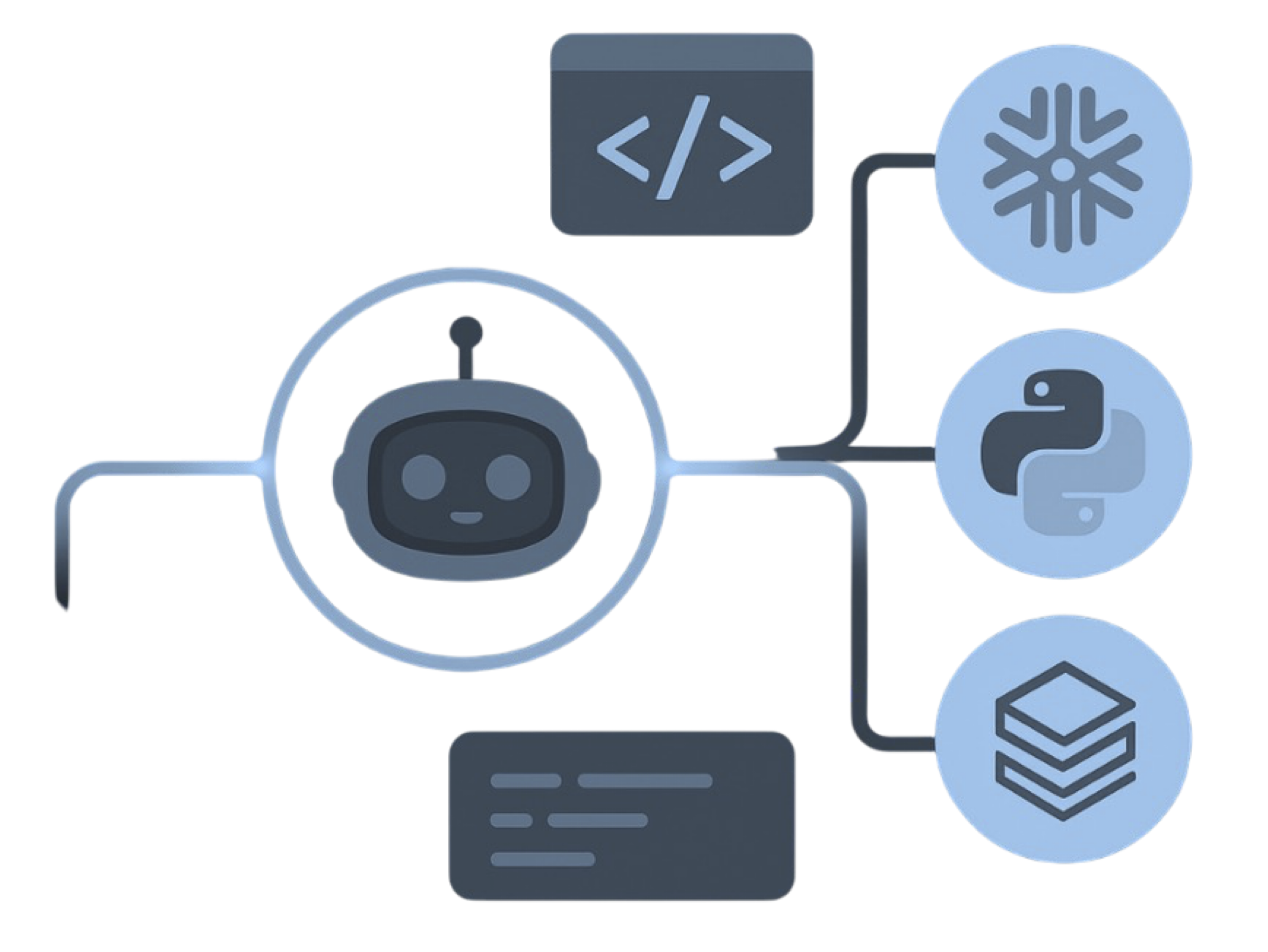
MigryX precision parser — Deep AST-level analysis ensures every construct is understood before conversion begins
Platform-Specific Optimization by MigryX
MigryX maintains deep knowledge of every target platform’s strengths and best practices. When converting to Snowflake, it leverages Snowpark and native SQL functions. When targeting Databricks, it uses PySpark DataFrame operations optimized for distributed execution. When generating dbt models, it follows dbt best practices for modularity and testability. This platform awareness is what makes MigryX output production-ready from day one.
Dataplex: Unified Data Governance and Lineage
Dataplex provides centralized data governance across the entire Google Cloud data estate: BigQuery datasets, Cloud Storage data lakes, and external data sources. It includes automated data discovery, metadata management, data quality monitoring, policy-based access control, and data lineage tracking.
Governance Features
- Data Catalog — Automatic discovery and cataloging of all BigQuery tables, views, and external tables. Custom metadata tags, business glossary terms, and data classification labels can be attached to any asset. This replaces manual data dictionaries and the proprietary catalog features of tools like Informatica Metadata Manager or IBM Information Governance Catalog.
- Data Quality — Automated data quality monitoring with configurable rules (completeness, uniqueness, freshness, custom SQL conditions). Quality scores are tracked over time and integrated with alerting. This replaces custom data quality scripts and standalone DQ tools.
- Data Lineage — Automatic column-level lineage tracking across BigQuery queries, Dataform models, and Dataflow pipelines. Lineage shows how data flows from source to target through every transformation step. This is critical for regulatory compliance (SOX, GDPR, HIPAA, CCPA) and for debugging data issues.
- Policy-Based Access Control — Fine-grained access control at the project, dataset, table, column, and row level. Column-level security allows masking or denying access to sensitive columns (PII, financial data) without creating separate views. Row-level security filters data based on the querying user's attributes.
- Data Masking — Dynamic data masking policies that automatically mask or redact sensitive data based on the querying user's role. Different users see different levels of data detail without maintaining multiple copies of the data.
-- Column-level security: restrict access to sensitive columns
-- No equivalent in most legacy ETL/DW platforms without custom views

-- Grant access to the table but mask the email and phone columns
-- for users in the 'analyst' role
CREATE OR REPLACE ROW ACCESS POLICY region_filter
ON `analytics.customer_dim`
GRANT TO ('group:regional-analysts@company.com')
FILTER USING (region = SESSION_USER_REGION());

-- Data masking policy: analysts see masked PII
-- CREATE MASKING POLICY mask_email
-- WITH (val STRING) AS (
--     CASE
--         WHEN CURRENT_USER() IN ('admin@company.com') THEN val
--         ELSE CONCAT(LEFT(val, 2), '***@***.com')
--     END
-- );

-- Dataplex data quality check (defined via API or Console)
-- Equivalent to standalone DQ tools like Informatica Data Quality
-- or Talend Data Quality
-- Rules: completeness > 99%, uniqueness on customer_id = 100%,
--         freshness: data updated within last 24 hours
BigQuery Studio: Notebooks and Collaboration
BigQuery Studio integrates Jupyter-style notebooks directly into the BigQuery console, allowing data engineers and analysts to combine SQL queries, Python code, visualizations, and markdown documentation in a single collaborative environment. This replaces the separate notebook infrastructure (JupyterHub, Zeppelin, SAS Studio) that legacy architectures require for interactive analysis and exploration.
BigQuery Studio notebooks can access BigQuery tables directly, run BigQuery ML models, visualize results inline, and share analysis with team members through the same console used for production pipeline management. This eliminates the "swivel chair" workflow of switching between ETL tools, SQL editors, notebook environments, and dashboarding tools.
BI Engine: Sub-Second Dashboard Performance
BigQuery BI Engine is an in-memory analysis service that accelerates queries from connected BI tools. By reserving BI Engine capacity for specific datasets or tables, organizations achieve sub-second dashboard response times without pre-aggregation, cube construction, or materialized summary tables.
In legacy architectures, achieving sub-second dashboard performance requires an OLAP layer: Oracle Essbase, SQL Server Analysis Services (SSAS), IBM Cognos TM1, or custom summary tables maintained by ETL jobs. Each of these adds licensing cost, infrastructure complexity, and ETL pipeline maintenance. BI Engine eliminates this entire tier by accelerating queries directly against BigQuery tables.
BI Engine integrates natively with Looker, Looker Studio, Google Sheets, and supports JDBC/ODBC connections from Tableau, Power BI, and other BI tools. The acceleration is transparent — no query changes are needed.
Migration Complexity by Source Platform
Not all migrations are equally complex. The following table summarizes the relative migration effort from each legacy platform to BigQuery, based on the number of concept mappings, SQL dialect differences, and proprietary constructs that require translation.
| Source Platform | Migration Complexity | Primary Challenge | BigQuery Advantage |
|---|---|---|---|
| SAS (DATA Step + PROC SQL) | High | Procedural DATA step has no SQL equivalent; row-level processing requires set-based rewrite | BigQuery ML replaces SAS/STAT and SAS/ETS procedures |
| Informatica PowerCenter | Medium | Visual mappings require extraction and SQL generation; Update Strategy and Normalizer transformations need careful mapping | Dataform replaces PowerCenter Designer + Workflow Manager |
| Informatica IDMC (CDI) | Medium | Cloud-native but IPU-priced; CDI mappings are more SQL-like than PowerCenter | Eliminates IPU cost model entirely |
| IBM DataStage | Medium | Parallel job stages map well to SQL; Transformer stage BASIC derivations need conversion | No parallel configuration needed — BigQuery auto-parallelizes |
| SSIS | Low-Medium | Data flow tasks are SQL-centric; control flow requires Cloud Composer DAG conversion | Eliminates SQL Server dependency |
| Alteryx | Low-Medium | Visual tools map directly to SQL clauses; macros need Dataform macro conversion | Native GIS functions replace Alteryx spatial tools |
| Teradata | Medium-High | TeradataSQL dialect differences (QUALIFY, SAMPLE, NORMALIZE, PERIOD); BTEQ scripts need rewrite | Eliminates Teradata hardware/licensing |
| Oracle ODI | Medium-High | Knowledge Module logic extraction; Oracle SQL dialect translation; topology reconfiguration | Eliminates both ODI and Oracle DB licensing |
| Talend | Low-Medium | Java-based components; tMap is the primary challenge; existing BigQuery connectors help | Removes Talend licensing and Java runtime |
How MigryX Accelerates BigQuery Migration
MigryX is an enterprise-grade migration and data lineage platform purpose-built for converting legacy analytics and ETL to modern cloud targets including BigQuery. The platform addresses the core challenge of legacy migration: accurately and efficiently converting thousands of legacy objects (SAS programs, Informatica mappings, DataStage jobs, ODI Interfaces, SSIS packages) to production-ready BigQuery SQL and Dataform models.
MigryX Differentiators for BigQuery Migration
- AST-Based Deterministic Parsing — MigryX uses abstract syntax tree analysis to parse legacy code and metadata, not regex pattern matching or AI-only inference. This deterministic approach ensures +95% parser accuracy and repeatable results: the same input always produces the same output. Every converted object includes a full audit trail showing the source construct, the transformation applied, and the resulting BigQuery SQL.
- Column-Level Lineage — Every transformation is traced from source column through every join, filter, expression, and aggregation to target column. The resulting lineage map satisfies regulatory requirements (SOX, GDPR, HIPAA) and enables impact analysis during and after migration.
- Multi-Target Output — MigryX is not BigQuery-exclusive. The platform generates output for BigQuery SQL, Dataform SQLX, Snowflake, Databricks, Azure Synapse, AWS Redshift, dbt, and Apache Spark. Organizations evaluating multiple cloud targets can run comparative analysis without committing to a single vendor.
- STTM Documentation — Source-to-Target Mapping documents are generated automatically for every migrated object. STTMs include source columns, transformation logic (in both legacy and BigQuery SQL), target columns, data type mappings, and business rule descriptions. These documents serve as the migration specification, validation reference, and ongoing operational documentation.
- On-Premise / Air-Gapped Deployment — For organizations with strict data sovereignty requirements, MigryX runs entirely on-premise. Legacy code and metadata never leave the customer's network during migration analysis. This is essential for financial services, government, healthcare, and defense organizations where cloud-based analysis tools cannot access production code repositories.
- Merlin AI — MigryX's Merlin AI assists with edge cases where legacy code uses non-standard constructs: custom SAS macros with complex conditional logic, DataStage BASIC routines, ODI custom Knowledge Modules with Jython code, and PL/SQL procedure migrations. Merlin provides intelligent suggestions while maintaining human oversight for the final conversion decision.
Migration Methodology
- Discovery and Assessment — MigryX ingests legacy platform metadata (Informatica XML exports, DataStage DSX files, SAS program files, ODI repository exports, SSIS DTSX packages, Alteryx YXMD files) and performs automated complexity analysis. The output includes object inventory, dependency maps, complexity ratings, and estimated conversion effort by object type.
- Automated Conversion — AST-based parsers decompose legacy logic into an intermediate representation, then generate BigQuery-specific output: BigQuery SQL queries, Dataform SQLX models with incremental and assertion configurations, Cloud Composer DAG Python files, and BigQuery DDL statements with partitioning and clustering recommendations.
- Validation — MigryX generates validation SQL that compares row counts, column sums, distinct counts, and sample-level data between legacy and BigQuery outputs. STTM documentation provides the column-level mapping reference for manual validation of business logic.
- Deployment — Converted Dataform models are committed to Git repositories. Cloud Composer DAGs are deployed to Composer environments. BigQuery DDL is executed to create target schemas. Parallel running confirms output equivalence before legacy decommission.
MigryX's deterministic parsing approach means the migration is not a black box. Every converted object includes a complete audit trail showing the source construct, the parsing step, and the resulting BigQuery code. This transparency is essential for enterprise migration governance, regulatory compliance, and the confidence of data engineering teams responsible for production workloads.
When BigQuery Is the Right Choice
BigQuery is the strongest migration target when the following conditions are present:
- SQL-centric workloads — When the majority of legacy ETL logic is transformation (joins, aggregations, filters, lookups, expressions, pivots), BigQuery SQL and Dataform handle it natively without proprietary scripting.
- No infrastructure appetite — When the organization wants to eliminate server management entirely, BigQuery's fully serverless model is the most aggressive infrastructure simplification available in the market.
- Cost predictability — When flat-rate slot pricing is preferred over the per-job, per-row, or per-core cost variability of legacy platforms.
- Google Cloud ecosystem — When the organization is already using or planning to use GCP services (Cloud Storage, Pub/Sub, Dataflow, Vertex AI, Looker, Cloud Composer), BigQuery integrates natively with every service.
- ML and advanced analytics — When the organization wants to run machine learning alongside ETL without a separate ML platform, BigQuery ML provides this within the same SQL interface used for transformations.
- Unified governance — When centralized data governance, automated quality monitoring, column-level lineage, and policy-based access control are organizational priorities, Dataplex provides these at the platform level.
- Multi-cloud data — When data resides across GCP, AWS, and Azure, BigQuery Omni enables cross-cloud queries without data movement.
- Real-time analytics — When batch-only processing is insufficient and streaming analytics is required, BigQuery's Pub/Sub integration and streaming buffer provide sub-second data availability.
BigQuery may not be the optimal target if workloads are primarily PySpark-based with complex DAG dependencies (consider Dataproc or Databricks), if the organization is deeply committed to AWS or Azure ecosystems with no GCP footprint, or if workloads require sub-millisecond transactional latency (consider Cloud Spanner or AlloyDB for OLTP).
Getting Started with a Migration Assessment
For enterprises beginning to evaluate BigQuery as a migration target, we recommend a structured approach that minimizes risk and builds organizational confidence incrementally:
- Inventory Legacy Assets — Catalog all legacy ETL objects with complexity ratings, execution frequency, business criticality, and downstream dependencies. Focus on production workloads that run daily or more frequently, as these represent the highest operational cost and the greatest migration value.
- Run a Pilot — Select 5-10 representative pipelines spanning different complexity levels and source platforms. Use MigryX automated conversion to generate BigQuery SQL and Dataform models. Validate output accuracy, query performance, and cost against the legacy baseline. This pilot typically takes 2-4 weeks and produces a reliable cost model for the full migration.
- Build the Business Case — Use pilot results to project full migration TCO. Include legacy license elimination, infrastructure decommission, staff reallocation, and the value of new capabilities (BigQuery ML, real-time streaming, unified governance) that the legacy platform cannot provide.
- Plan Migration Waves — Group remaining workloads into 4-8 week migration waves based on business domain, dependency ordering, and complexity. Each wave includes conversion, validation, parallel running, and cutover steps.
- Execute and Decommission — Run each wave with parallel execution between legacy and BigQuery. After validation, switch downstream consumers to BigQuery and decommission legacy components. This is where TCO savings materialize.
Key Takeaways
- BigQuery's serverless architecture eliminates the infrastructure burden of legacy platforms: no servers, no clusters, no agents, no patching, no capacity planning, no high-availability configuration. This removes entire cost categories and staffing requirements from the data platform budget.
- Separation of storage and compute decouples data growth from compute costs. Store petabytes at columnar storage rates. Scale compute independently through on-demand slots or flat-rate edition commitments.
- On-demand and flat-rate pricing models replace per-core, per-IPU, per-PVU, and per-named-server licensing that scales linearly (or worse) with data volume. Costs become predictable and decoupled from growth.
- BigQuery ML provides in-database machine learning using SQL (logistic regression, time-series forecasting, clustering, boosted trees, deep learning, AutoML), eliminating the need for separate ML platforms and data export pipelines.
- Dataform replaces proprietary visual ETL designers with Git-backed SQL models, dependency management, incremental materialization, and built-in data quality assertions.
- Native Google Cloud integration (GCS, Pub/Sub, Dataflow, Cloud Composer, Vertex AI, Looker) creates a unified data ecosystem that replaces the fragmented tool chains of legacy architectures.
- STRUCT and ARRAY data types enable nested, denormalized storage that eliminates JOINs for common access patterns, reducing query complexity and cost.
- Partitioned and clustered tables provide automatic query optimization without manual index management, reducing data scanned and cost per query.
- BigQuery Omni enables multi-cloud queries across GCP, AWS, and Azure data without data movement, supporting gradual migration strategies.
- Dataplex provides unified data governance with automated discovery, data quality monitoring, column-level lineage, policy-based access control, and dynamic data masking.
- BigQuery BI Engine delivers sub-second dashboard performance without OLAP cubes, pre-aggregation, or summary table maintenance.
- Column-level security and data masking provide fine-grained access control without maintaining separate views or data copies for different user roles.
- MigryX automates legacy-to-BigQuery conversion with AST-based deterministic parsing, column-level lineage, STTM documentation, and +95% parser accuracy. On-premise deployment ensures source code never leaves the customer environment.
The decision to migrate legacy ETL and analytics to BigQuery is ultimately an architectural decision, not a tool swap. Organizations that treat it as a tool swap — converting Informatica mappings to BigQuery SQL one-for-one — will capture licensing savings but miss the larger opportunity. The real value comes from simplifying the entire data architecture: consolidating storage, compute, transformation, orchestration, governance, machine learning, and serving onto a single serverless platform. BigQuery makes this consolidation possible in a way that no previous generation of data warehouse and ETL technology could achieve. For enterprises running aging infrastructure with growing data volumes, shrinking legacy talent pools, and expanding requirements for ML, real-time analytics, and regulatory compliance, the migration to BigQuery is not a theoretical option — it is an operational imperative that becomes more urgent with every passing license renewal cycle.
Why MigryX Delivers Superior Migration Results
The challenges described throughout this article are exactly what MigryX was built to solve. Here is how MigryX transforms this process:
- Production-ready output: MigryX generates code that passes code review and runs in production — not prototype-quality output that needs weeks of cleanup.
- Platform optimization: Converted code leverages target platform-specific features for maximum performance and cost efficiency.
- 25+ source technologies: Whether migrating from SAS, Informatica, DataStage, SSIS, or any of 25+ legacy technologies, MigryX handles it.
- Automated documentation: Every conversion decision is documented with before/after code mappings and transformation rationale.
MigryX combines precision AST parsing with Merlin AI to deliver 99% accurate, production-ready migration — turning what used to be a multi-year manual effort into a streamlined, validated process. See it in action.
Ready to evaluate BigQuery for your legacy migration?
See how MigryX automates conversion from SAS, Informatica, DataStage, SSIS, ODI, Teradata, and Talend to production-ready BigQuery SQL and Dataform pipelines.
Explore BigQuery Migration Schedule a Demo