Enterprises that standardized on Snowflake or the AWS analytics stack — Redshift, Glue, EMR, Step Functions, and PySpark — are increasingly evaluating Google Cloud Platform as their primary or secondary cloud. The reasons vary: multi-cloud strategy mandates, Google's leadership in AI/ML with Vertex AI and Gemini, BigQuery's serverless economics, contractual renegotiation leverage, or acquisition-driven platform consolidation. Whatever the driver, the technical challenge is the same: how do you migrate thousands of Snowflake SQL scripts, Snowpark Python programs, PySpark jobs, Glue ETL pipelines, and Redshift stored procedures to BigQuery, Dataform, Dataflow, and Cloud Composer without a multi-year manual rewrite?
This guide provides a comprehensive technical mapping of every major Snowflake and AWS/Spark concept to its GCP equivalent, demonstrates how MigryX automates the conversion with parser-driven accuracy, and outlines a practical migration methodology that minimizes risk and accelerates time to production.
Why Move from Snowflake or AWS to GCP?
Before diving into the technical mappings, it is worth examining the strategic drivers that make this migration path increasingly common across enterprise data organizations.
Serverless Economics at Scale
Snowflake's credit-based pricing model charges for compute time across virtual warehouses, with costs that scale directly with warehouse size and concurrency. Organizations running dozens of warehouses across development, staging, and production environments often find costs escalating faster than data volumes. BigQuery's on-demand pricing charges only for data scanned by queries — there are no idle compute costs, no warehouse sizing decisions, and no auto-suspend/resume complexity. For workloads with variable query patterns, the elimination of always-on warehouse costs can reduce analytics spend by 40-60%.
Similarly, the AWS analytics stack requires provisioning and managing multiple services independently: Redshift clusters with node sizing, EMR clusters with instance types and autoscaling policies, Glue job DPU allocations, and Step Functions state machine execution costs. BigQuery consolidates storage, compute, transformation, and orchestration into a single serverless platform with a unified cost model.
AI/ML Integration
Google Cloud's AI/ML ecosystem is the most deeply integrated with its analytics platform. BigQuery ML allows model training, evaluation, and prediction using SQL — directly on warehouse data without export. Vertex AI provides a full ML platform for custom models with native BigQuery connectors. Gemini models are accessible from BigQuery through remote functions. Snowflake's Cortex and AWS SageMaker both require more infrastructure management and data movement to achieve comparable ML integration.
Multi-Cloud and Data Sovereignty
BigQuery Omni allows federated queries across data stored in AWS S3 and Azure Blob Storage without data movement. Organizations can query Snowflake-exported Parquet files in S3 directly from BigQuery during a phased migration, reducing the pressure for a big-bang cutover. This capability enables a gradual transition where GCP becomes the primary analytics platform while legacy data remains in existing cloud storage.

Snowflake to BigQuery migration — automated end-to-end by MigryX
Architecture Mapping: Snowflake to BigQuery
Snowflake and BigQuery share several architectural principles — separation of storage and compute, columnar storage, and SQL-first interfaces — making the migration conceptually straightforward. The differences lie in compute management, SQL dialect, and ecosystem tooling.
| Snowflake Concept | BigQuery Equivalent | Migration Notes |
|---|---|---|
| Virtual Warehouse | Slots (on-demand or flat-rate) | No warehouse sizing needed; BigQuery auto-allocates compute per query |
| Database / Schema | Project / Dataset | Snowflake database → BigQuery project; Snowflake schema → BigQuery dataset |
| Stage (internal/external) | Google Cloud Storage (GCS) bucket | External tables or LOAD DATA from GCS replaces Snowflake stages |
| Snowpipe | BigQuery Pub/Sub subscription / Storage Write API | Streaming ingestion replaces Snowpipe auto-ingest |
| Tasks & Streams | Dataform + Cloud Composer / Scheduled Queries | Tasks → Dataform models with scheduling; Streams → CDC via BigQuery change history |
| Stored Procedures (JavaScript/SQL) | BigQuery Stored Procedures (SQL/JavaScript) | Near-direct mapping; BigQuery supports procedural SQL and JavaScript UDFs |
| UDFs (SQL/JavaScript/Java/Python) | BigQuery UDFs (SQL/JavaScript) + Remote Functions | SQL and JS UDFs map directly; Python/Java UDFs migrate to Remote Functions via Cloud Run |
| Snowpark (Python/Scala/Java) | BigQuery DataFrames / Dataform / Dataflow | Snowpark Python → BigQuery DataFrames API or Dataform SQLX |
| Dynamic Tables | Dataform incremental models / Materialized Views | Declarative pipeline definitions replace Dynamic Tables |
| Time Travel (up to 90 days) | Time Travel (up to 7 days) + snapshot decorators | BigQuery time travel is shorter; use scheduled snapshots for longer retention |
| Snowflake Cortex (ML) | BigQuery ML + Vertex AI | BigQuery ML for SQL-based ML; Vertex AI for advanced custom models |
| Data Sharing / Marketplace | Analytics Hub / BigQuery data sharing | Analytics Hub provides cross-organization data exchange |
| Iceberg Tables | BigLake / BigQuery external tables on Iceberg | BigLake provides a unified interface for Iceberg, Delta, and Hudi formats |
Snowflake SQL to BigQuery SQL: Key Dialect Differences
While both platforms support ANSI SQL, there are dialect-specific differences that require systematic translation. MigryX's SQL transpiler handles these automatically through AST-level transformation rules.
-- Snowflake SQL: Common patterns that require translation
-- 1. QUALIFY clause (supported in both, but syntax identical)
SELECT customer_id, order_date, amount
FROM orders
QUALIFY ROW_NUMBER() OVER (PARTITION BY customer_id ORDER BY order_date DESC) = 1;

-- 2. FLATTEN for semi-structured data
SELECT
    f.value:name::STRING AS feature_name,
    f.value:score::FLOAT AS feature_score
FROM ml_predictions,
LATERAL FLATTEN(input => prediction_features) f;

-- 3. VARIANT / OBJECT / ARRAY types
SELECT
    raw_json:customer.name::STRING AS customer_name,
    raw_json:customer.addresses[0].city::STRING AS primary_city
FROM raw_events;
-- BigQuery SQL equivalent
-- 1. QUALIFY (identical syntax in BigQuery)
SELECT customer_id, order_date, amount
FROM `project.dataset.orders`
QUALIFY ROW_NUMBER() OVER (PARTITION BY customer_id ORDER BY order_date DESC) = 1;

-- 2. UNNEST replaces FLATTEN
SELECT
    feature.name AS feature_name,
    feature.score AS feature_score
FROM `project.dataset.ml_predictions`,
UNNEST(prediction_features) AS feature;

-- 3. JSON functions replace VARIANT path notation
SELECT
    JSON_VALUE(raw_json, '$.customer.name') AS customer_name,
    JSON_VALUE(raw_json, '$.customer.addresses[0].city') AS primary_city
FROM `project.dataset.raw_events`;
Complete Snowflake SQL Function Mapping
| Snowflake Function | BigQuery Equivalent | Notes |
|---|---|---|
DATEADD(day, 7, dt) | DATE_ADD(dt, INTERVAL 7 DAY) | Argument order differs |
DATEDIFF(day, a, b) | DATE_DIFF(b, a, DAY) | Argument order reversed |
TO_DATE(str, fmt) | PARSE_DATE(fmt, str) | Format strings differ (Snowflake: YYYY-MM-DD; BigQuery: %Y-%m-%d) |
TO_TIMESTAMP(str) | PARSE_TIMESTAMP(fmt, str) | BigQuery requires explicit format |
IFF(cond, a, b) | IF(cond, a, b) | Direct equivalent |
NVL(a, b) | COALESCE(a, b) or IFNULL(a, b) | COALESCE supports multiple arguments |
NVL2(a, b, c) | IF(a IS NOT NULL, b, c) | No direct NVL2 equivalent |
ZEROIFNULL(x) | COALESCE(x, 0) | No direct equivalent |
TRY_CAST(x AS type) | SAFE_CAST(x AS type) | Same behavior — returns NULL on failure |
FLATTEN() | UNNEST() | LATERAL FLATTEN → CROSS JOIN UNNEST |
PARSE_JSON(str) | JSON_VALUE() / JSON_QUERY() | BigQuery uses function-based JSON access |
OBJECT_CONSTRUCT() | STRUCT() / TO_JSON() | STRUCT for typed objects; TO_JSON for JSON strings |
ARRAY_AGG() | ARRAY_AGG() | Identical syntax |
LISTAGG(col, ',') | STRING_AGG(col, ',') | Direct equivalent |
GET_PATH(v, 'a.b') | JSON_VALUE(v, '$.a.b') | JSONPath syntax in BigQuery |
GENERATOR(ROWCOUNT => n) | GENERATE_ARRAY(1, n) with UNNEST | BigQuery uses array generation |
Snowpark Python to BigQuery DataFrames
Snowpark allows Python, Scala, and Java code to execute directly on Snowflake's compute engine using a DataFrame API. BigQuery provides an equivalent with the BigQuery DataFrames library (bigframes), which runs Python DataFrame operations as BigQuery jobs without data leaving the warehouse.
# Snowpark Python: DataFrame operations on Snowflake
from snowflake.snowpark import Session
from snowflake.snowpark.functions import col, sum as sf_sum, avg, when, lit

session = Session.builder.configs(connection_params).create()

orders = session.table("analytics.orders")
customers = session.table("analytics.customers")

# Join, aggregate, filter
result = (
    orders
    .join(customers, orders.customer_id == customers.customer_id)
    .group_by(customers.segment, customers.region)
    .agg(
        sf_sum(orders.revenue).alias("total_revenue"),
        avg(orders.revenue).alias("avg_revenue"),
        col("*").count().alias("order_count")
    )
    .filter(col("total_revenue") > 10000)
    .sort(col("total_revenue").desc())
)
result.write.save_as_table("analytics.segment_summary", mode="overwrite")
# BigQuery DataFrames (bigframes): Equivalent operations on BigQuery
import bigframes.pandas as bpd

bpd.options.bigquery.project = "my-gcp-project"

orders = bpd.read_gbq("project.dataset.orders")
customers = bpd.read_gbq("project.dataset.customers")

# Join, aggregate, filter (pandas-like API, executes as BigQuery jobs)
merged = orders.merge(customers, on="customer_id")
result = (
    merged
    .groupby(["segment", "region"])
    .agg(
        total_revenue=("revenue", "sum"),
        avg_revenue=("revenue", "mean"),
        order_count=("revenue", "count")
    )
    .reset_index()
    .query("total_revenue > 10000")
    .sort_values("total_revenue", ascending=False)
)
result.to_gbq("project.dataset.segment_summary", if_exists="replace")
BigQuery DataFrames uses a pandas-compatible API that translates operations to BigQuery SQL behind the scenes. Data never leaves BigQuery — the Python code runs locally as a query planner, but all computation happens on BigQuery's serverless engine. This makes it a natural migration path for Snowpark Python code.
MigryX: Idiomatic Code, Not Line-by-Line Translation
The difference between MigryX and manual migration is not just speed — it is code quality. MigryX generates idiomatic, platform-optimized code that leverages native features of your target platform. A SAS DATA step does not become a clunky row-by-row loop — it becomes a clean, vectorized DataFrame operation. A PROC SQL query does not become a literal translation — it becomes an optimized query that takes advantage of your platform’s pushdown capabilities.
Architecture Mapping: AWS Analytics Stack to GCP
Migrating from AWS is more complex than Snowflake because the AWS analytics ecosystem is disaggregated — multiple services (Redshift, Glue, EMR, Step Functions, S3, Athena, Lake Formation) must be mapped to their GCP equivalents, and the interaction patterns between services change.
| AWS Service | GCP Equivalent | Migration Notes |
|---|---|---|
| Amazon Redshift | BigQuery | Redshift SQL → BigQuery SQL; distribution/sort keys → partitioning/clustering |
| AWS Glue ETL (PySpark) | Dataform (SQL) / Dataflow (beam) / Dataproc (Spark) | SQL-convertible Glue jobs → Dataform; complex PySpark → Dataproc or Dataflow |
| AWS Glue Catalog | BigQuery metastore / Dataplex Catalog | Schema registry and table definitions migrate to BigQuery datasets |
| Amazon EMR (PySpark/Spark SQL) | Dataproc (managed Spark) / BigQuery | Spark SQL → BigQuery SQL; PySpark DataFrames → BigQuery DataFrames or Dataproc |
| AWS Step Functions | Cloud Composer (Airflow) / Cloud Workflows | State machine JSON → Airflow DAGs (Python); simple sequences → Cloud Workflows (YAML) |
| Amazon S3 | Google Cloud Storage (GCS) | Direct transfer via Storage Transfer Service; path mappings update in all pipelines |
| Amazon Athena | BigQuery (external tables) | Athena SQL → BigQuery SQL; Athena tables on S3 → BigQuery external tables on GCS |
| AWS Lake Formation | Dataplex | Column-level security, data quality, lineage → Dataplex policies and quality rules |
| Amazon SageMaker | Vertex AI + BigQuery ML | Simple models → BigQuery ML (SQL); complex models → Vertex AI |
| Amazon Kinesis | Pub/Sub + Dataflow | Kinesis streams → Pub/Sub topics; Kinesis Analytics → Dataflow streaming |
| AWS Lambda | Cloud Functions / Cloud Run | Event-driven functions map directly; container-based → Cloud Run |
| Amazon MWAA (Airflow) | Cloud Composer (Airflow) | DAG Python files transfer directly; operator imports change to GCP equivalents |
Redshift SQL to BigQuery SQL
Amazon Redshift uses a PostgreSQL-derived SQL dialect with extensions for distribution, sorting, and Redshift-specific functions. BigQuery SQL is ANSI-compliant with its own extensions. The key translation patterns affect data types, distribution strategy, and function names.
-- Redshift SQL: Table definition with distribution and sort keys
CREATE TABLE analytics.customer_orders (
    order_id BIGINT IDENTITY(1,1),
    customer_id INTEGER NOT NULL ENCODE lzo,
    order_date DATE NOT NULL ENCODE delta,
    product_category VARCHAR(100) ENCODE bytedict,
    quantity INTEGER ENCODE mostly8,
    revenue DECIMAL(12,2) ENCODE az64,
    discount_pct FLOAT,
    shipping_region VARCHAR(50),
    order_status VARCHAR(20)
)
DISTKEY(customer_id)
SORTKEY(order_date, customer_id)
;

-- Redshift query with Redshift-specific functions
SELECT
    customer_id,
    DATE_TRUNC('month', order_date) AS order_month,
    NVL(product_category, 'Unknown') AS category,
    COUNT(*) AS order_count,
    SUM(revenue) AS total_revenue,
    MEDIAN(revenue) AS median_revenue,
    LISTAGG(DISTINCT order_status, ', ')
        WITHIN GROUP (ORDER BY order_status) AS statuses,
    GETDATE() AS run_timestamp
FROM analytics.customer_orders
WHERE order_date >= DATEADD(year, -2, GETDATE())
GROUP BY 1, 2, 3
HAVING SUM(revenue) > 1000
ORDER BY total_revenue DESC;
-- BigQuery SQL equivalent
CREATE OR REPLACE TABLE `project.dataset.customer_orders` (
    order_id INT64 NOT NULL,
    customer_id INT64 NOT NULL,
    order_date DATE NOT NULL,
    product_category STRING,
    quantity INT64,
    revenue NUMERIC(12,2),
    discount_pct FLOAT64,
    shipping_region STRING,
    order_status STRING
)
PARTITION BY order_date
CLUSTER BY customer_id, product_category
;

-- BigQuery query equivalent
SELECT
    customer_id,
    DATE_TRUNC(order_date, MONTH) AS order_month,
    COALESCE(product_category, 'Unknown') AS category,
    COUNT(*) AS order_count,
    SUM(revenue) AS total_revenue,
    APPROX_QUANTILES(revenue, 2)[OFFSET(1)] AS median_revenue,
    STRING_AGG(DISTINCT order_status, ', '
        ORDER BY order_status) AS statuses,
    CURRENT_TIMESTAMP() AS run_timestamp
FROM `project.dataset.customer_orders`
WHERE order_date >= DATE_SUB(CURRENT_DATE(), INTERVAL 2 YEAR)
GROUP BY 1, 2, 3
HAVING SUM(revenue) > 1000
ORDER BY total_revenue DESC;
AWS Glue PySpark to BigQuery SQL / Dataform
AWS Glue ETL jobs are PySpark programs that use Glue's DynamicFrame API or standard PySpark DataFrames. The majority of Glue ETL logic — joins, filters, aggregations, type conversions, and deduplication — translates directly to BigQuery SQL or Dataform SQLX models. Complex transformations that require Python logic can migrate to Dataflow (Apache Beam) or Dataproc (managed Spark).
# AWS Glue ETL job: PySpark with DynamicFrame
import sys
from awsglue.transforms import *
from awsglue.utils import getResolvedOptions
from awsglue.context import GlueContext
from awsglue.job import Job
from pyspark.context import SparkContext
from pyspark.sql.functions import col, sum as spark_sum, avg, current_date, datediff

sc = SparkContext()
glueContext = GlueContext(sc)
spark = glueContext.spark_session

# Read from Glue Catalog
orders_dyf = glueContext.create_dynamic_frame.from_catalog(
    database="analytics_db", table_name="raw_orders"
)
customers_dyf = glueContext.create_dynamic_frame.from_catalog(
    database="analytics_db", table_name="customers"
)

# Convert to DataFrame for complex operations
orders_df = orders_dyf.toDF()
customers_df = customers_dyf.toDF()

# Join, transform, aggregate
result = (
    orders_df
    .join(customers_df, "customer_id", "left")
    .filter(col("order_date") >= "2025-01-01")
    .withColumn("days_since_order",
        datediff(current_date(), col("order_date")))
    .groupBy("segment", "region")
    .agg(
        spark_sum("revenue").alias("total_revenue"),
        avg("revenue").alias("avg_order_value"),
        spark_sum(
            when(col("days_since_order") <= 90, col("revenue"))
            .otherwise(0)
        ).alias("recent_revenue")
    )
    .filter(col("total_revenue") > 5000)
)

# Write to Redshift
glueContext.write_dynamic_frame.from_options(
    frame=DynamicFrame.fromDF(result, glueContext, "output"),
    connection_type="redshift",
    connection_options={"dbtable": "analytics.segment_summary", ...}
)
-- BigQuery SQL / Dataform SQLX equivalent
-- File: models/gold/segment_summary.sqlx
config {
    type: "table",
    schema: "gold",
    description: "Segment revenue summary with recent activity",
    bigquery: {
        partitionBy: "DATE(calculated_at)",
        clusterBy: ["segment", "region"]
    },
    assertions: {
        nonNull: ["segment", "region", "total_revenue"],
        rowConditions: ["total_revenue > 0"]
    }
}

SELECT
    c.segment,
    c.region,
    SUM(o.revenue) AS total_revenue,
    AVG(o.revenue) AS avg_order_value,
    SUM(
        CASE WHEN DATE_DIFF(CURRENT_DATE(), o.order_date, DAY) <= 90
             THEN o.revenue ELSE 0 END
    ) AS recent_revenue,
    CURRENT_TIMESTAMP() AS calculated_at
FROM ${ref("silver", "orders")} o
LEFT JOIN ${ref("silver", "customers")} c
    ON o.customer_id = c.customer_id
WHERE o.order_date >= '2025-01-01'
GROUP BY c.segment, c.region
HAVING SUM(o.revenue) > 5000
MigryX's PySpark parser analyzes Glue ETL jobs at the AST level, identifying DataFrame operations (joins, filters, aggregations, window functions) and converting them to equivalent BigQuery SQL. Operations that are purely SQL-expressible — which covers 80-90% of typical Glue ETL logic — become Dataform SQLX models. Complex Python logic that cannot be expressed in SQL is flagged for manual review or converted to Dataflow pipelines.
AWS Step Functions to Cloud Composer
AWS Step Functions define workflows as state machines in JSON (Amazon States Language). Cloud Composer uses Apache Airflow DAGs defined in Python. The migration converts state machine definitions to Airflow task dependencies, replacing AWS-specific SDK integrations with GCP operator equivalents.
// AWS Step Functions: State machine definition (ASL JSON)
{
  "StartAt": "ExtractRawData",
  "States": {
    "ExtractRawData": {
      "Type": "Task",
      "Resource": "arn:aws:glue:us-east-1:123456789:job/extract-raw",
      "Next": "CheckDataQuality"
    },
    "CheckDataQuality": {
      "Type": "Task",
      "Resource": "arn:aws:lambda:us-east-1:123456789:function:dq-check",
      "Next": "QualityGate"
    },
    "QualityGate": {
      "Type": "Choice",
      "Choices": [
        {
          "Variable": "$.quality_passed",
          "BooleanEquals": true,
          "Next": "TransformAndLoad"
        }
      ],
      "Default": "SendAlert"
    },
    "TransformAndLoad": {
      "Type": "Task",
      "Resource": "arn:aws:glue:us-east-1:123456789:job/transform-load",
      "Next": "UpdateDashboard"
    },
    "UpdateDashboard": {
      "Type": "Task",
      "Resource": "arn:aws:lambda:...:refresh-dashboard",
      "End": true
    },
    "SendAlert": {
      "Type": "Task",
      "Resource": "arn:aws:sns:...:data-quality-alerts",
      "End": true
    }
  }
}
# Cloud Composer (Airflow) DAG equivalent
from airflow import DAG
from airflow.operators.python import BranchPythonOperator
from airflow.providers.google.cloud.operators.bigquery import (
    BigQueryInsertJobOperator
)
from airflow.providers.google.cloud.operators.dataform import (
    DataformCreateCompilationResultOperator,
    DataformCreateWorkflowInvocationOperator
)
from airflow.operators.email import EmailOperator
from datetime import datetime

dag = DAG(
    "analytics_pipeline",
    schedule_interval="0 6 * * *",
    start_date=datetime(2026, 1, 1),
    catchup=False,
)

extract_raw = BigQueryInsertJobOperator(
    task_id="extract_raw_data",
    configuration={
        "query": {
            "query": "CALL `project.ops.extract_raw_data`()",
            "useLegacySql": False,
        }
    },
    dag=dag,
)

check_quality = BigQueryInsertJobOperator(
    task_id="check_data_quality",
    configuration={
        "query": {
            "query": "CALL `project.ops.data_quality_check`()",
            "useLegacySql": False,
        }
    },
    dag=dag,
)

def quality_gate(**context):
    ti = context["ti"]
    result = ti.xcom_pull(task_ids="check_data_quality")
    if result and result.get("quality_passed"):
        return "transform_and_load"
    return "send_alert"

quality_branch = BranchPythonOperator(
    task_id="quality_gate",
    python_callable=quality_gate,
    dag=dag,
)

transform_load = DataformCreateWorkflowInvocationOperator(
    task_id="transform_and_load",
    project_id="my-project",
    region="us-central1",
    repository_id="analytics-repo",
    dag=dag,
)

send_alert = EmailOperator(
    task_id="send_alert",
    to="data-team@company.com",
    subject="Data Quality Check Failed",
    html_content="Quality gate failed. Check Dataform logs.",
    dag=dag,
)

extract_raw >> check_quality >> quality_branch
quality_branch >> [transform_load, send_alert]
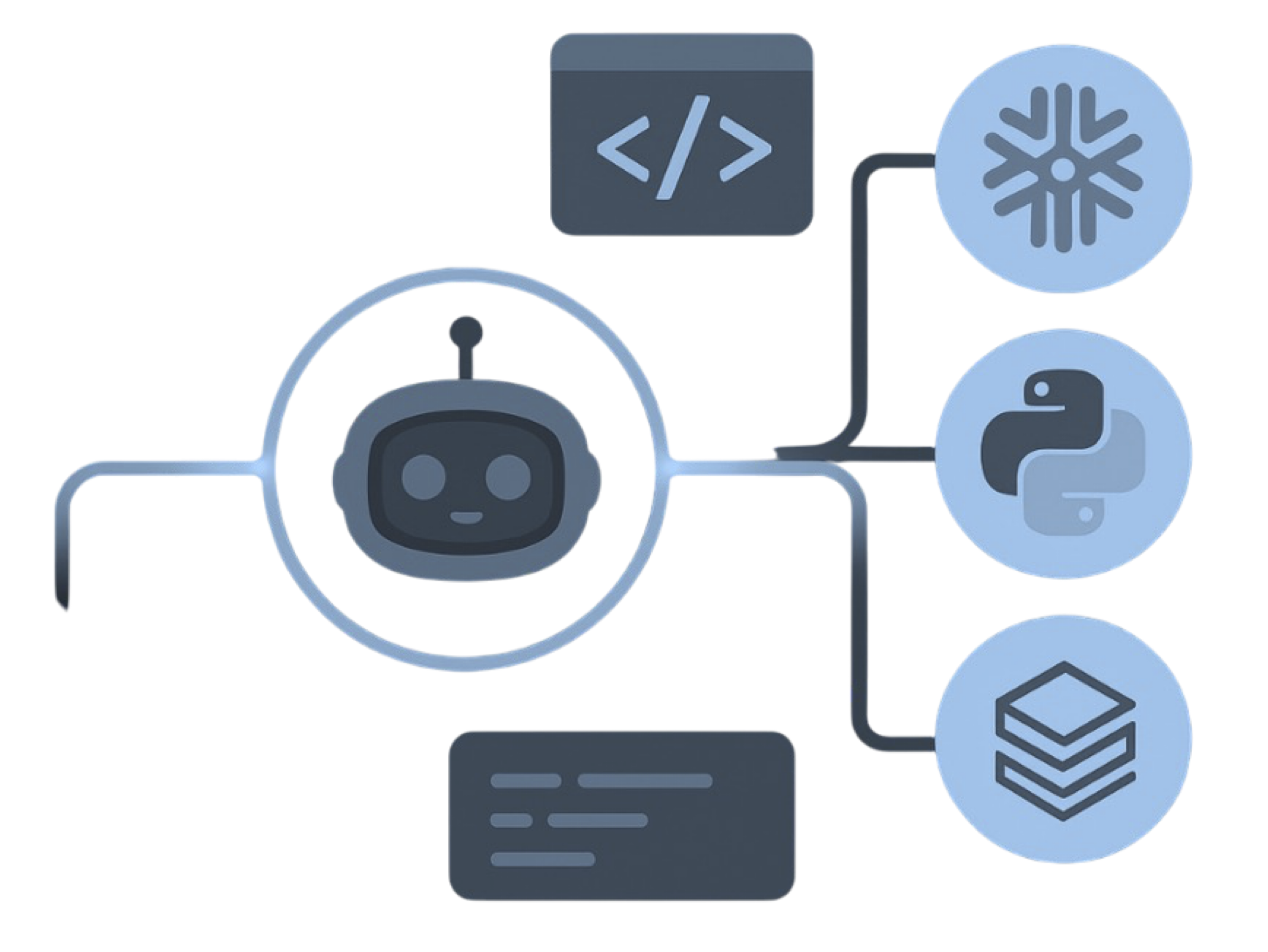
MigryX precision parser — Deep AST-level analysis ensures every construct is understood before conversion begins
Platform-Specific Optimization by MigryX
MigryX maintains deep knowledge of every target platform’s strengths and best practices. When converting to Snowflake, it leverages Snowpark and native SQL functions. When targeting Databricks, it uses PySpark DataFrame operations optimized for distributed execution. When generating dbt models, it follows dbt best practices for modularity and testability. This platform awareness is what makes MigryX output production-ready from day one.
How MigryX Automates the Conversion
Manual migration from Snowflake or AWS to BigQuery requires developers to learn two SQL dialects, understand the semantic differences between hundreds of functions, and rewrite every script, stored procedure, and pipeline definition by hand. For organizations with thousands of Snowflake scripts or hundreds of Glue ETL jobs, this approach is impractical — it takes years, introduces human error, and the source platform continues to accumulate new code during the migration.
MigryX automates this conversion through a multi-stage parser-driven pipeline that operates at the Abstract Syntax Tree (AST) level, not through text-based find-and-replace.
Parser-Driven SQL Transpilation
MigryX parses source SQL (Snowflake SQL, Redshift SQL, Spark SQL, Athena/Presto SQL) into a language-independent AST, applies transformation rules to convert dialect-specific constructs to BigQuery equivalents, and emits syntactically correct BigQuery SQL. This approach handles edge cases that regex-based tools miss: nested function calls, correlated subqueries, complex CASE expressions, window function framing, and multi-statement procedures.
- Function mapping: 200+ Snowflake and Redshift functions automatically mapped to BigQuery equivalents, including argument reordering (DATEADD, DATEDIFF), format string translation (TO_DATE → PARSE_DATE), and semantic equivalents (NVL2 → IF expression)
- Data type translation: Snowflake VARIANT/OBJECT/ARRAY to BigQuery JSON/STRUCT/ARRAY; Redshift ENCODE directives removed; IDENTITY columns to BigQuery sequences or GENERATE_UUID()
- DDL conversion: DISTKEY/SORTKEY to PARTITION BY/CLUSTER BY; Snowflake TRANSIENT tables to BigQuery with appropriate expiration; external table definitions remapped from S3 to GCS paths
- Procedural code: Snowflake JavaScript stored procedures to BigQuery JavaScript UDFs or stored procedures; Snowflake SQL scripting (DECLARE, SET, IF/ELSE, LOOP) to BigQuery scripting
PySpark and Glue ETL Conversion
MigryX's PySpark parser reads Glue ETL scripts and EMR PySpark programs, builds an operation graph from DataFrame API calls, and determines whether each operation is SQL-expressible. SQL-convertible operations — filters, joins, aggregations, window functions, type casts, and conditional expressions — become Dataform SQLX models. Operations requiring Python logic (custom UDFs, ML model scoring, complex string parsing) are flagged with conversion recommendations.
- DynamicFrame operations: Glue-specific APIs (ApplyMapping, ResolveChoice, Relationalize) translated to BigQuery SQL equivalents
- Spark SQL queries:
spark.sql()calls extracted and transpiled through the SQL transpilation engine - DataFrame API chains: Method chains (
.filter().join().groupBy().agg()) converted to equivalent SQL with CTEs - Read/write operations: S3 paths remapped to GCS; Glue Catalog references converted to BigQuery dataset.table references; Redshift JDBC writes converted to BigQuery table writes
Column-Level Lineage and STTM Generation
For every converted script, MigryX generates column-level lineage documentation — a Source-to-Target Mapping (STTM) that traces each output column back to its source columns through every transformation step. This lineage is critical for migration validation, regulatory compliance (SOX, GDPR, Basel III), and post-migration governance in Dataplex.
On-Premise Deployment
MigryX deploys entirely within the customer's environment. Source code — Snowflake scripts, PySpark programs, Redshift stored procedures — never leaves the customer's network. The conversion engine runs as a containerized application on the customer's infrastructure (on-premise servers, private cloud VMs, or air-gapped environments), ensuring full compliance with data sovereignty and intellectual property requirements.
Migration Methodology: A Phased Approach
Migrating from an established Snowflake or AWS analytics platform to GCP requires a structured methodology that balances speed with risk management. The following four-phase approach has been proven across enterprise migrations.
Phase 1: Discovery and Assessment (2-4 weeks)
- Inventory all Snowflake objects (databases, schemas, tables, views, stored procedures, UDFs, tasks, streams, pipes) or AWS resources (Redshift clusters, Glue jobs, EMR notebooks, Step Functions, S3 data)
- Run MigryX analysis to generate complexity scores, dependency graphs, and conversion feasibility reports for every object
- Identify critical path workloads and quick-win candidates
- Map security policies, roles, and access controls to GCP IAM equivalents
- Establish BigQuery project structure, dataset naming conventions, and Dataform repository layout
Phase 2: Automated Conversion (4-8 weeks)
- Run MigryX batch conversion on all in-scope SQL scripts, stored procedures, and PySpark jobs
- Review conversion output: auto-converted code (typically 85-95% of total), flagged items requiring manual adjustment, and unconvertible patterns
- Convert orchestration: Snowflake Tasks → Dataform scheduling + Cloud Composer; Step Functions → Airflow DAGs
- Set up data transfer: Snowflake stages or S3 buckets → GCS via Storage Transfer Service
- Configure Dataplex governance policies mirroring existing Snowflake RBAC or Lake Formation policies
Phase 3: Validation and Parallel Run (4-6 weeks)
- Execute converted workloads on BigQuery alongside existing Snowflake/AWS pipelines
- Automated row-count, checksum, and statistical validation between source and target outputs
- Performance benchmarking: compare query execution times and costs
- User acceptance testing with downstream consumers (dashboards, reports, ML models)
- Iterate on flagged items and edge cases identified during validation
Phase 4: Cutover and Decommission (2-4 weeks)
- Switch production workloads to BigQuery pipelines
- Redirect downstream applications and dashboards to BigQuery endpoints
- Run Snowflake/AWS in read-only mode for rollback period (typically 30 days)
- Decommission source platform resources after rollback window closes
- Final governance review: verify lineage, access controls, and audit logging in Dataplex
Cost Comparison: Snowflake + AWS vs. BigQuery
| Cost Category | Snowflake + AWS | BigQuery + GCP |
|---|---|---|
| Compute | Snowflake credits (warehouse-hours) + EMR instance-hours + Glue DPU-hours | BigQuery slots (on-demand per-TB or flat-rate) — single billing model |
| Storage | Snowflake storage + S3 storage + Redshift managed storage | BigQuery storage (single rate, auto long-term discount after 90 days) |
| ETL / Orchestration | Glue job runs + Step Functions state transitions + MWAA environment | Dataform (included) + Cloud Composer (managed Airflow) |
| Data Transfer | Cross-region/cross-service data movement charges | Intra-GCP transfers free; BigQuery ↔ GCS ↔ Dataflow is zero-cost within region |
| ML Platform | SageMaker notebook + training + endpoint hosting | BigQuery ML (included) + Vertex AI (pay-per-use) |
| Governance | Lake Formation + manual catalog tools | Dataplex (included with BigQuery) |
| Idle Costs | Suspended warehouses still consume credits on resume; EMR clusters incur costs while idle | Zero idle cost — no infrastructure to suspend/resume |
Organizations running Snowflake with multi-cluster warehouses and AWS EMR/Glue pipelines typically see 30-50% cost reduction after migrating to BigQuery, driven primarily by the elimination of idle compute costs, the consolidation of multiple service charges into a single billing model, and BigQuery's automatic columnar compression reducing storage costs.
Key Takeaways
- Snowflake SQL translates to BigQuery SQL with systematic function mapping (DATEADD → DATE_ADD, FLATTEN → UNNEST, VARIANT path → JSON_VALUE), data type conversion (VARIANT → JSON/STRUCT), and DDL restructuring (stages → GCS, warehouses → serverless slots).
- Snowpark Python migrates to BigQuery DataFrames (bigframes) using a pandas-compatible API that executes operations as BigQuery jobs without data leaving the warehouse.
- AWS Redshift SQL converts to BigQuery SQL with distribution/sort key removal (replaced by partition/cluster), function renaming (NVL → COALESCE, GETDATE → CURRENT_TIMESTAMP), and encoding directive elimination.
- AWS Glue PySpark ETL jobs convert to Dataform SQLX models for SQL-expressible logic (80-90% of typical jobs) and to Dataproc or Dataflow for complex Python transformations.
- AWS Step Functions state machines convert to Cloud Composer (Airflow) DAGs with GCP-native operators replacing AWS SDK integrations.
- MigryX automates conversion at the AST level with +95% parser accuracy, handling 200+ function mappings, procedural code translation, and DDL restructuring automatically.
- Column-level lineage (STTM) is generated for every converted object, enabling regulatory compliance and post-migration governance in Dataplex.
- BigQuery's serverless architecture eliminates idle compute costs, warehouse sizing decisions, and multi-service billing complexity present in Snowflake and AWS architectures.
- BigQuery Omni enables federated queries on S3 data during migration, allowing a phased transition without a big-bang cutover.
- On-premise MigryX deployment ensures source code never leaves the customer environment, meeting data sovereignty and IP protection requirements.
Migrating from Snowflake or the AWS analytics stack to Google Cloud BigQuery is not a lateral move — it is an architectural simplification. The disaggregated AWS toolchain (Redshift + Glue + EMR + Step Functions + S3 + Athena + Lake Formation + SageMaker) and Snowflake's credit-based compute model are replaced by a single serverless platform that handles storage, compute, transformation, orchestration, governance, and machine learning. For organizations evaluating this path, MigryX eliminates the manual rewrite bottleneck by automating SQL transpilation, PySpark conversion, lineage documentation, and validation — reducing a multi-year manual effort to weeks of automated conversion followed by focused validation and tuning.
Why MigryX Delivers Superior Migration Results
The challenges described throughout this article are exactly what MigryX was built to solve. Here is how MigryX transforms this process:
- Production-ready output: MigryX generates code that passes code review and runs in production — not prototype-quality output that needs weeks of cleanup.
- Platform optimization: Converted code leverages target platform-specific features for maximum performance and cost efficiency.
- 25+ source technologies: Whether migrating from SAS, Informatica, DataStage, SSIS, or any of 25+ legacy technologies, MigryX handles it.
- Automated documentation: Every conversion decision is documented with before/after code mappings and transformation rationale.
MigryX combines precision AST parsing with Merlin AI to deliver 99% accurate, production-ready migration — turning what used to be a multi-year manual effort into a streamlined, validated process. See it in action.
Ready to migrate from Snowflake or AWS to BigQuery?
See how MigryX automates conversion of Snowflake SQL, Snowpark Python, Redshift SQL, Glue PySpark, and Step Functions to production-ready BigQuery SQL, Dataform, and Cloud Composer pipelines.
Explore BigQuery Migration Schedule a Demo